
Key takeaways
- Knowing how to check keyword rankings accurately starts with the setup: one keyword, one Google country or city, one device, one date. Change any of them and you have a different measurement.
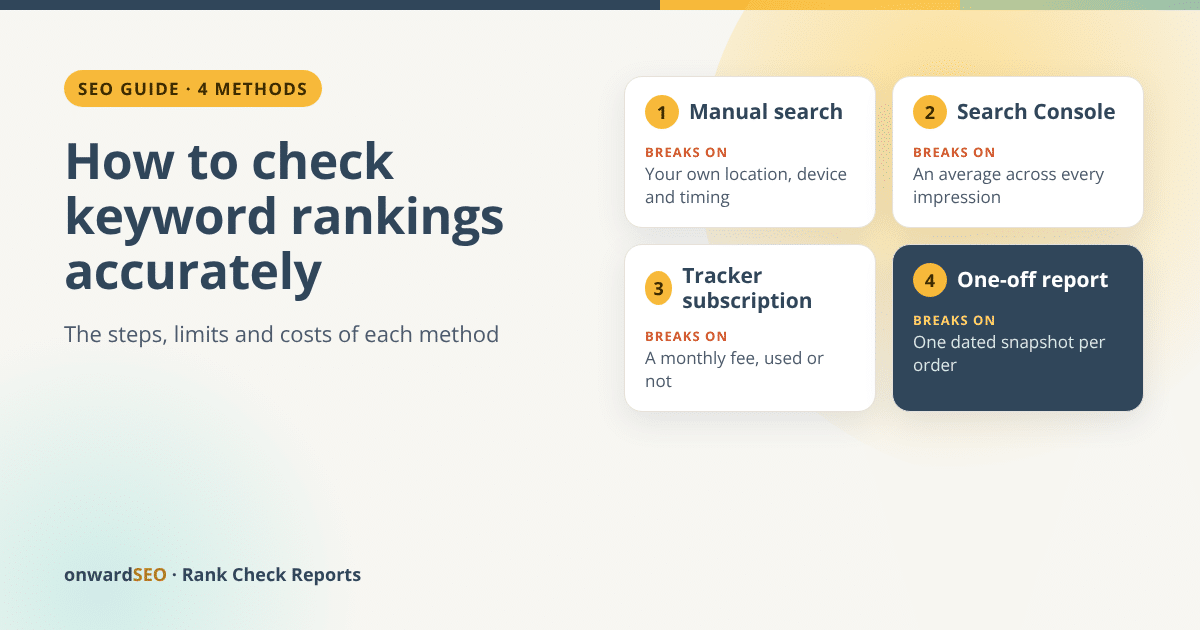
- A manual search is free, but it reflects your own location, device and timing, and it takes one search per keyword per device.
- Search Console’s average position is Google’s own data, but it averages the topmost position of your site across every impression, in every country and on every device, unless you split it.
- A tracker subscription suits daily monitoring of large lists. A one-off report suits a monthly or occasional picture: from $14.99 for 100 keywords on four Google engines, desktop and mobile.
- Two methods together work best: Search Console for trends in real searches, and a fixed-engine check for positions you can compare month to month.
There are four common ways to check where you rank on Google, and each one is accurate for a different question. If you want to know how to check keyword rankings without fooling yourself, decide first what “accurate” has to mean: the position of one keyword, on one Google, in one place, on one device, on one day. Get that right and you can check keyword rankings on Google with numbers you can compare from one month to the next.
Below, each method gets its steps, the point where it breaks, and its cost in money and time. A table near the end puts all four side by side.
What “accurate” means for a keyword ranking
Google adjusts results to the person searching. Its help page on personalisation in Google Search says that even with personalisation switched off, Google still uses your location, your language, the type of device you use and your current searches. So a ranking is never just “position 5”. It is position 5 for:
- one keyword, word for word (singular and plural are different keywords);
- one Google country, and sometimes one city;
- one device, desktop or mobile;
- one moment, because results change over time.

Every method fixes some of these and leaves others open, and that is where each one breaks. Our article on why your Google rankings look different on every screen explains the mechanics.
Method 1: a manual search in a private window
How to do it:
- Open a private (incognito) window so you start signed out.
- Type the keyword into Google exactly as your customers would.
- Count the organic results from the top, skipping ads. Your position is the first result from your site.
- Repeat on your phone for the mobile position.
- Write the keyword, device, date, time and position in a spreadsheet.
Where it breaks:
- Location. You see results for where you are. If your customers are in another city or country, your result is not theirs.
- Timing. Results change through the day, so one check is one moment.
- Scale. An illustration, assuming one minute per search: 100 keywords on desktop and mobile is 200 searches, more than three hours, for one country, once. Counting to position 25 by hand is also easy to get wrong.
Cost: free. Time: high. Best for: spot-checking one or two keywords.
Method 2: Google Search Console’s Performance report
Search Console is Google’s own record of how your site appears in search. It is also the most misread.
How to do it:
- Open Search Console and choose your property.
- Open the Performance report for Search results.
- Click the Average position heading above the chart to show it.
- Set the date range with the date filter at the top of the report.
- In the table under the chart, open the Queries tab to see average position per keyword. Use the Countries and Devices tabs to split it.
Google’s Performance report help page defines average position as the average position of the topmost result from your site.

Where it breaks:
- It is an average, not a position. Google’s page on how position is calculated gives its own example: if a query shows your site at positions 2, 4 and 6, the position counted is 2, the topmost. If a second query shows it at 3, 5 and 9, that counts as 3, and the average across the two is 2.5. In real data that average also runs across every impression, from every country and device you have not filtered out.
- No impression, no position. A link must get an impression for its position to be recorded. Keywords where you rank deep may have few impressions or none, so their average rests on very little data, or they don’t appear at all.
- The newest data is preliminary and can change over the next few hours.
- Chart and table differ. In the chart, average position covers the whole site; in the table, it covers the query or page in that row.
Cost: free. Time: minutes, once your site is verified. Best for: trends, and finding the queries you already appear for.
Method 3: a rank tracker subscription
How to do it:
- Choose a tool and a plan sized to your keyword list.
- Create a project for your website and add your keywords.
- Set the search engine, the country or city, and the devices.
- Let it check on its schedule, usually daily or weekly, and read the dashboard.
Where it breaks:
- You pay every month, whether you open the dashboard or not.
- Keyword allowances fill faster than you expect. Several trackers count each device or search engine as a separate keyword, so 100 keywords on desktop and mobile use 200 of the allowance.
- Setup and upkeep. Projects and settings take time, and someone still has to read the data.
- Each update is still a snapshot. A tracker checks from a set location at a set time, like a report. Daily data shows movement more often; it does not make each position more true.
Cost: in our dated comparison of rank tracker prices, read on 14 October 2026, the smallest paid plans on pages priced in dollars ran from $4.99 a month (75 keyword updates a day) to $139 a month. One budget tracker charged $7 a month for 100 keywords updated weekly, which is less than one report a month: if you are happy to log in to a tool, that is the cheaper route. Time: setup once, then minutes per look. Best for: daily monitoring of large lists, and teams that work in a dashboard.
Method 4: a one-off rank report
How to do it (here with our pay-per-check rank reports):
- Send your keyword list (paste it, or upload a .txt or .csv file), your website, the Google edition you want and the depth: top 30 or top 60.
- We run a live check through a Google results API: one query per keyword per engine, with desktop and mobile as separate queries.
- You receive a web report, a PDF and an Excel file by email, within one working day.
Four Google engines are included: your chosen Google edition on desktop and mobile, plus google.com on desktop and mobile. Other countries or cities can be added as extra engines.

Where it breaks:
- One snapshot per order. No daily data, no alerts, no dashboard. A repeat check next month is a new order at the same price.
- Google only. No Bing, YouTube or Amazon.
- No search volume, keyword suggestions or competitor lists. It reports your own keywords on your own site.
- Fixed depth. Anything beyond the depth you chose is reported as “not in top 30” (or 60), never as a guessed position.
Cost: $14.99 per check for up to 100 keywords at top 30, up to $59.99 for 400 keywords at top 60, with no subscription. Time: minutes to order; the report arrives within one working day. Best for: monthly or quarterly reports, client reports, and before-and-after checks around a launch or a migration.
How to check keyword rankings: the four methods compared
| Manual search | Search Console | Tracker subscription | One-off report | |
|---|---|---|---|---|
| Cost | Free | Free | A monthly fee | $14.99 to $59.99 per check |
| Time for 100 keywords | Hours | Minutes | Setup, then minutes | Minutes to order; report within one working day |
| What the number is | One search, one place, one moment | Average topmost position across impressions | A position on a set engine at each update | A position on a set engine on the check date |
| Location | Wherever you are | All countries, or one with the Countries tab | Set in the project | The Google edition you choose; cities as extra engines |
| Desktop and mobile | One device at a time | Split with the Devices tab | Usually both, sometimes counted as two keywords | Both, always, as separate queries |
| Keywords you rank deep for | Only if you count that far | Only if they got impressions | To the tool’s depth | To the top 30 or top 60 |
| History | Your own spreadsheet | Past months of real searches | Daily or weekly | One point per check you order |
Pick the method by the question you are asking, not by the number you hope to see.
Which method should you use?
- One keyword, before a call: a careful manual search.
- Which queries bring impressions, and how they trend: Search Console.
- Someone acts on rankings every day, or the list runs into thousands: a subscription.
- A monthly report, a client report or a before-and-after check: a one-off report.
On most sites I would use two together: Search Console to see what real searchers did, and a fixed-engine check once a month to see where each keyword stands. Or, as we put it on our product page: “As SEO experts, we know a regular business doesn’t need more than one rankings report a month.”
Five rules for an accurate check, whatever the method
- Keep the keyword wording identical from one check to the next.
- Keep the country or city the same, and record it.
- Record desktop and mobile separately; never average them.
- Keep the depth the same (top 30 or top 60).
- Compare direction across several dated checks, not one position.
If you would rather have someone read the report and turn it into actions every month, our SEO rank tracking service does that. If you only need the numbers, you can order a one-off Google rank report for up to 400 keywords and apply the rules above.
FAQ
How can I check my Google ranking for free?
Use a manual search in a private window, and the Performance report in Google Search Console. The first shows one position from your own location and device; the second shows an average across real searches. Read each for what it is.
Is Search Console’s average position accurate?
It is accurate as an average: the topmost position of your site, averaged over every time it was shown. It is not the position on any one screen, and keywords with few impressions rest on very little data. Split it by country and device before you compare it with anything else.
How do I check my Google ranking on mobile?
Search on your phone in a private tab, signed out, and count the organic results from the top. In Search Console, open the Devices tab to see mobile on its own. A rank report checks mobile as a separate query for every keyword and engine.
Why does my rank tracker disagree with Search Console?
They measure different things. A tracker reports one position on a set engine at a set moment; Search Console averages your topmost position over all impressions, places and devices in the date range. Compare their direction over time, not single numbers.
How often should I check keyword rankings?
For most businesses, once a month shows the direction, plus a check around big changes such as a redesign or a migration. Daily tracking pays off only when someone acts on it every day.
Check up to 400 keywords on four Google engines, desktop and mobile, in one dated report, with no subscription and no dashboard to learn.
From $14.99 per check · no subscription · report within one working day

Eugen Platon
Latest posts by Eugen Platon (see all)
- AI Overview Tracking: What ‘Cited #2 of 7’ Tells You About Your Traffic - October 19, 2026
- onwardSEO vs SERPRobot: When a SERPRobot Alternative Makes Sense (and When It Doesn’t) - October 19, 2026
- How to Check Keyword Rankings Accurately: 4 Methods and Where Each One Breaks - October 19, 2026
- SEO Companies for Small Business: How to Shortlist Without Getting Burned - October 18, 2026