
Key takeaways
- Read a rank tracking report from the top down: what was checked, the summary counts, the KPIs, what moved, then the keyword table.
- A position only means something next to the previous check on the same Google edition, device and depth.
- Count keywords in position bands. The top 10 and top 3 counts show progress that an average position hides.
- SERP features and AI Overview citations explain why a steady position can still bring fewer clicks.
- Finish every read with three actions, not a summary of numbers.
Most people open a rank tracking report, look for one number and close it. That wastes most of what the report can tell you. A well-built rank tracking report answers three questions in about ten minutes: are we moving up or down overall, what moved and why, and which keywords deserve work next.
In this walkthrough I use the public sample from our Rank Check Reports page: an anonymised hotel-software company, 100 keywords checked on four Google engines, top 30 results, with the check on 12 September 2026 compared against the one on 24 June 2026. Every figure below comes from that report, so you can open the sample report in another tab and follow along section by section.
What a rank tracking report should tell you
Before the sections, one rule that decides whether any number is meaningful: compare like with like. In this report an “engine” is one Google country domain on one device, for example google.co.uk on desktop. The same keyword can rank 4th on desktop and 9th on mobile, or 2nd in the UK and 15th in the US. A position is only comparable with the previous check on the same engine, at the same depth.
That is also why your own search can disagree with the report. Google personalises results by location, device and history, while a rank check is run without any of that. If that question comes up with a client or a boss, our article on why your Google rankings look different on every screen explains it in plain language.
With that rule in place, read the report in the order it is built.
1. The cover: what was checked, where and how deep

The cover is the contract for everything underneath it. Check three things before you read a single position:
- The dates (marker 1). “2026-06-24 → 2026-09-12 · vs each keyword’s previous check” means every keyword is compared with its own last result, not with an average.
- The engines. Here: Google.co.uk on desktop and mobile, plus google.com on desktop and mobile. That is 100 keywords × 4 engines = 400 keyword rows.
- The depth. “Top 30” means the first 30 organic results were examined for every row. A keyword beyond that is reported as “not in top 30”, never as a guessed position.
If next month’s report uses a different depth, a different set of engines or a different location, the changes you see partly measure the setup, not your SEO. Keep the setup fixed.
2. At a glance: the summary in one paragraph
The “At a glance” line (marker 2) gives you the direction before any detail: since 24 June, 83 rows improved, 108 declined and 209 were unchanged; 25 rows entered the top 10 and 8 dropped out of it.
More declines than improvements sounds bad. It isn’t automatically. In this report the top 10 count still grew, and a drop from position 24 to 27 costs far less than a climb from 12 to 7 gains, because most clicks go to the first page of results. Read the counts as a prompt for the sections below, not as a verdict.
3. The KPI strip: visibility, average position and the bands
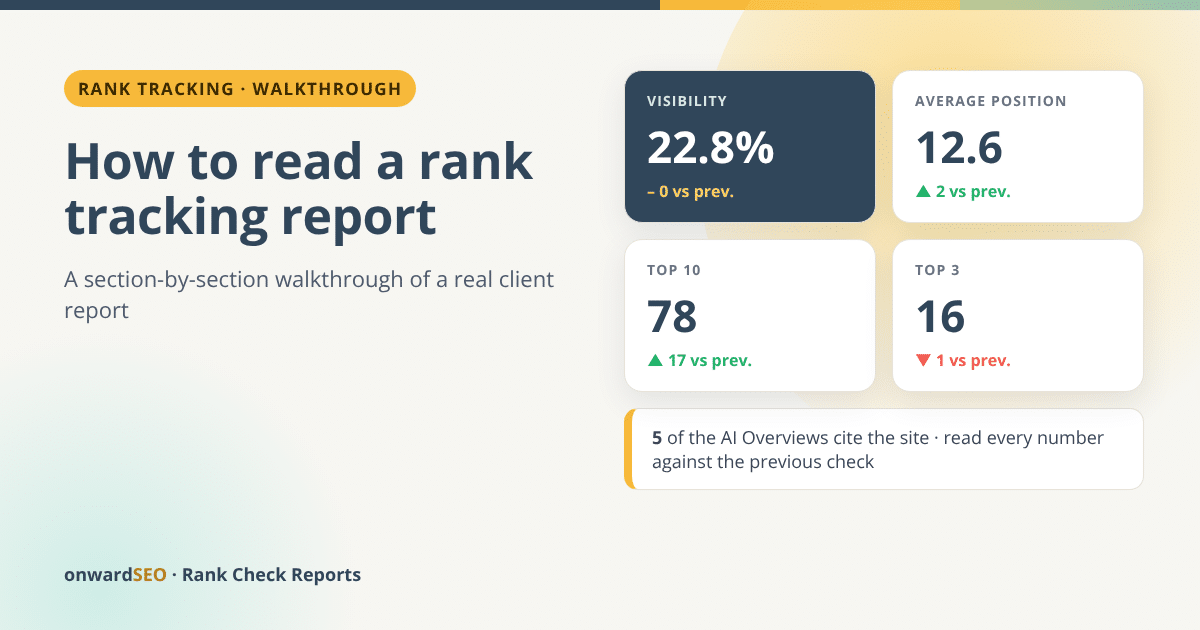
The tiles under the summary (markers 3 to 5) are where most readers stop. Here is what each one says in the sample:
| Tile | This check | Against the previous check |
|---|---|---|
| Visibility | 22.8% | unchanged |
| Average position | 12.6 | ▲ 2 |
| Top 3 | 16 | ▼ 1 |
| Top 10 | 78 | ▲ 17 |
| Top 30 | 149 | ▼ 17 |
| Not ranking (beyond top 30) | 251 | 17 more than before |
Visibility turns the whole keyword list into one score. The sample report’s method note explains how: each keyword row earns more points the higher it ranks inside the top 30 and zero points below it, and the score averages those points over all rows. One score per check makes trends easy to see, which is why we cover it in depth in SEO visibility score explained.
The bands tell the real story. The top 10 count rose by 17 while the top 30 count fell by 17. In plain words: more keywords now sit on page one, and some keywords that hung around pages two and three fell out of the top 30. Visibility stayed level because those two movements roughly cancel out in the score. A client who only saw “visibility: unchanged” would miss the most useful finding in the report.
Never read a rank tracking report for its average. Read it for its bands and for what moved.
Average position improved by 2, but read it next to the bands. Averages move for reasons that are not progress, for example when keywords enter or leave the depth you checked.
The AI Overview tile (marker 5) counts how often Google’s AI Overview cited the site: here 5 citations, plus 6 mentions. We come back to it in section 7.
4. What moved: the gainers and losers worth opening

The “What moved” section lists the eight biggest gainers and the eight biggest losers since the previous check (on a first order, it shows the best-ranking keywords and the ones closest to page one instead).
Two lines in the sample show how to use it:
- “hotel pms systems data migration steps” appears four times among the gainers (marker 1). It went from not ranking to position 1 or 2 on all four engines. When one keyword jumps everywhere at once, a single page usually did it: a new article, a rewrite, or new internal links. Find what changed and repeat it on similar pages.
- “pms system” fell from 3 to out of the top 30 (marker 2). A fall that steep deserves a look the same day: open the page that ranked before, check whether it changed, whether another page of the site now competes for the same keyword, and what Google shows on the results page now.
Ignore moves of one or two positions. React to keywords that enter or leave a band: 3 to 4, 10 to 11, in or out of the top 30.
5. Ranking distribution: the shape of your visibility
The distribution bar (marker 3) sorts all 400 rows into bands: 16 in positions 1–3, 62 in 4–10, 43 in 11–20, 28 in 21–30 and 251 not in the top 30. The faded bar underneath (marker 4) is the previous check.
Two readings matter. First, is the coloured part of the bar getting longer? That is growth, whatever the average says. Second, look at the 11–20 band. Those 43 rows are on page two, close to page one, and they are usually the cheapest wins in the whole report.
6. The keyword table: one row per keyword and engine

The table is where you go with a question, not where you start. Each row is one keyword on one engine:
- Position, with positions 1 to 3 marked in gold.
- Change against the previous check: ▲ up, ▼ down, “in” for newly ranking, “out” for dropped.
- Best position recorded across the checks you have ordered. “understanding hotel rates” ranks 4 now but has ranked 2, so it has been higher before.
- Trend, a small line over up to five checks. A hollow dot means the keyword was not in the top 30 on that check.
- Ranking URL, the page Google showed for that keyword.
- SERP features found on the same results page.
- AI Overview: whether Google’s AI Overview cited or mentioned the site.
Five things to scan in the keyword table
- Positions 11–20 with a rising trend: your shortlist for quick wins.
- Keywords where the ranking URL is not the page you want to rank.
- Keywords whose ranking URL changed between checks: two pages may be competing.
- Big gaps between “position” and “best”: something used to work better.
- Keywords with an AI Overview where your site is not cited.
7. SERP features and AI Overview citations
A position number assumes every results page looks the same. It doesn’t. Position 1 under an AI Overview, a local pack and a block of People also ask questions sits far lower on the screen than position 1 on a plain page of ten links. Google documents these result types in its visual elements gallery, and the report records 18 of them for every keyword, from the same results page as the position.
Look at “adr vs revpar” in figure 3: position 6, with images, videos, reviews and People also ask on the page, and an AI Overview column that reads “Mentioned #2 of 6” (marker 7). Compare “hotel pms system” a few rows below: position 8, an AI Overview on the page, and the site not cited.
That difference matters more each month. Google’s guidance on AI features and your website says AI Overviews link to supporting pages and that pages need no special markup to be eligible, only to be indexed and able to show a snippet. In practice, the keywords where an AI Overview appears and you are not cited are where content work pays first.
A 10-minute routine for your next rank tracking report
- Confirm the cover: same engines, same location, same depth as last time.
- Note the direction from “At a glance”.
- Write down the top 10 and top 3 changes, not just visibility.
- Open the ranking URLs of the biggest losers and look for what changed.
- Find what the biggest gainers have in common and repeat it.
- Shortlist keywords in positions 11–20 with a rising trend.
- List the keywords with an AI Overview that doesn’t cite you.
End with three actions and an owner for each. A report that changes nothing next month was a cost, not an investment.
What you'll see in a Rank Check Report
- A web report (HTML), a PDF and an Excel file with three sheets: Summary, Keywords and History.
- Every section shown above: cover, At a glance, KPI strip, What moved, Ranking distribution, All keywords, SERP features and AI Overview.
- Your logo and brand colour on the report if you want to forward it to a client.
- Four Google engines included: your Google edition on desktop and mobile, plus google.com on desktop and mobile.
If you would rather have someone read the report every month and turn it into a plan, that is what our managed SEO rank tracking service does. If you only need the numbers, you can order the same report for your own keyword list and read it with the routine above.
FAQ
How often should I run a rank tracking report?
For most businesses, once a month is enough to see direction, plus one check around any big change such as a redesign, a migration or a Google update. Daily tracking only pays off if someone acts on the numbers every day. Each repeat order adds a point to the trend line, so the history builds without a subscription.
Why does the report show a different position from what I see on Google?
Your own search is personalised by your location, device, language settings and search history. A rank check is run without personalisation, from the country or city you chose, on desktop and mobile separately. That is the reason a report and a hand check rarely match exactly.
What does “not in top 30” mean?
The check looked at the first 30 results for that keyword on that engine and your site was not among them. The report never guesses a position beyond the depth you chose. If many of your keywords sit just past page three, a top 60 check shows where they are.
Can I send the report to a client under my own brand?
Yes. You can add your client’s logo and brand colour, and the web report, PDF and Excel file are all built from the same figures, so you can forward whichever one your client prefers.
What is in the Excel file?
Three sheets with data only: Summary, Keywords and History. It imports into Google Sheets as it is, so you can filter, sort or chart it yourself.
Get this report for your own website: every section above, for up to 400 keywords on four Google engines, desktop and mobile, with SERP features and AI Overview citations.
From $14.99 per check · no subscription · report within one working day

Eugen Platon
Latest posts by Eugen Platon (see all)
- Best Google Rank Checker: Free Tools vs Paid, Compared - October 17, 2026
- onwardSEO vs AccuRanker: The AccuRanker Alternative for One Report a Month - October 17, 2026
- How to Read a Rank Tracking Report: A Walkthrough of a Real Example - October 17, 2026
- H Tags in SEO: What 17 Years of Evidence Taught Me About Heading Structure - July 21, 2026